Calendar
What is a calendar element?
A calendar element on a website is an interactive feature that displays a calendar interface, allowing users to view, select, or interact with specific dates and events. It is designed to organize and present time-related information in an easy-to-navigate format.
Key Features of a Calendar Element:
- Date Display: Shows days, weeks, or months in a standard calendar layout.
- Event Integration: Highlights specific dates with scheduled events, such as meetings, appointments, or public events.
- Interactivity: Allows users to click on dates for more details or actions, such as registering for an event or booking a time slot.
- Customization Options: May include filters to display specific types of events or integrate with tools like Google Calendar or Outlook.
Common Uses:
- Event Management: Show upcoming events, conferences, or workshops.
- Appointment Booking: Let users book or reserve time slots for services.
- Project Timelines: Highlight deadlines or milestones in a project.
- Availability Display: For businesses like hotels or rental services, it shows available dates.
Benefits:
- User Convenience: Provides a quick, visual way to understand schedules or availability.
- Efficiency: Helps users plan and take action without needing to contact support.
- Engagement: Encourages interaction with the website, improving overall user experience.
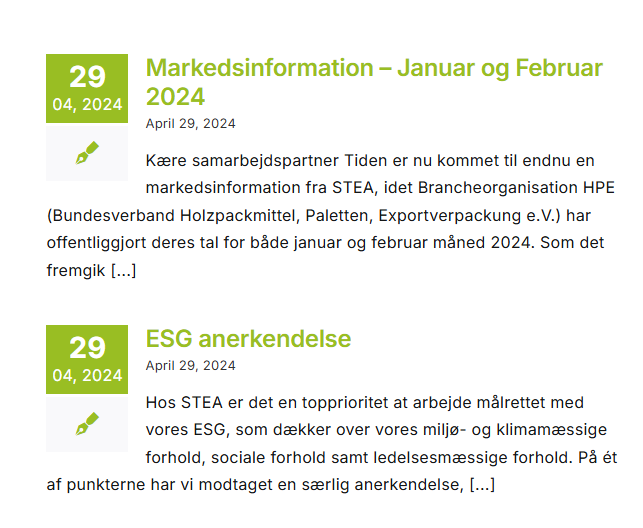
Can you make a subpage for news or important date without a calendar element?
Yes, you can create a subpage for news or important dates without using a calendar element. Instead, you can organize the information in a clear and visually appealing layout. This would be a lot more simple and make the page less interactive. Options for this could be a list format, table format or box format. This would make a minimalistic calendar, for the website visitor only to look at. This form is not optimal for service-based businesses or other platforms that require time-based interactions.